


One shortcut, all set.
Apps, files, folders, commands and dev servers, opened in the right order with one key.
Version 2 A new chapter, 11 years later.
Open your apps, files, servers and sound setup with one shortcut. Close it all just as fast when you’re done.
Free forever, every feature included.
Find it useful? Buy a license for whatever you think is fair.
macOS 14+ · Apple Silicon & Intel
Apps, files, folders, commands and dev servers, opened in the right order with one key.
Only that project’s windows close and its servers stop. Switching projects takes one key.
See what’s running on which port, open it or stop it. Port clashes are caught before launch.
Keep your Mac awake, switch your audio interface to 48 kHz, and quit distractions.
Arrange your windows once. Every launch puts them back right where they belong.
Claude Code, Codex or any AI agent can set up your workspaces. Just describe what you want.
Right up in your menu bar
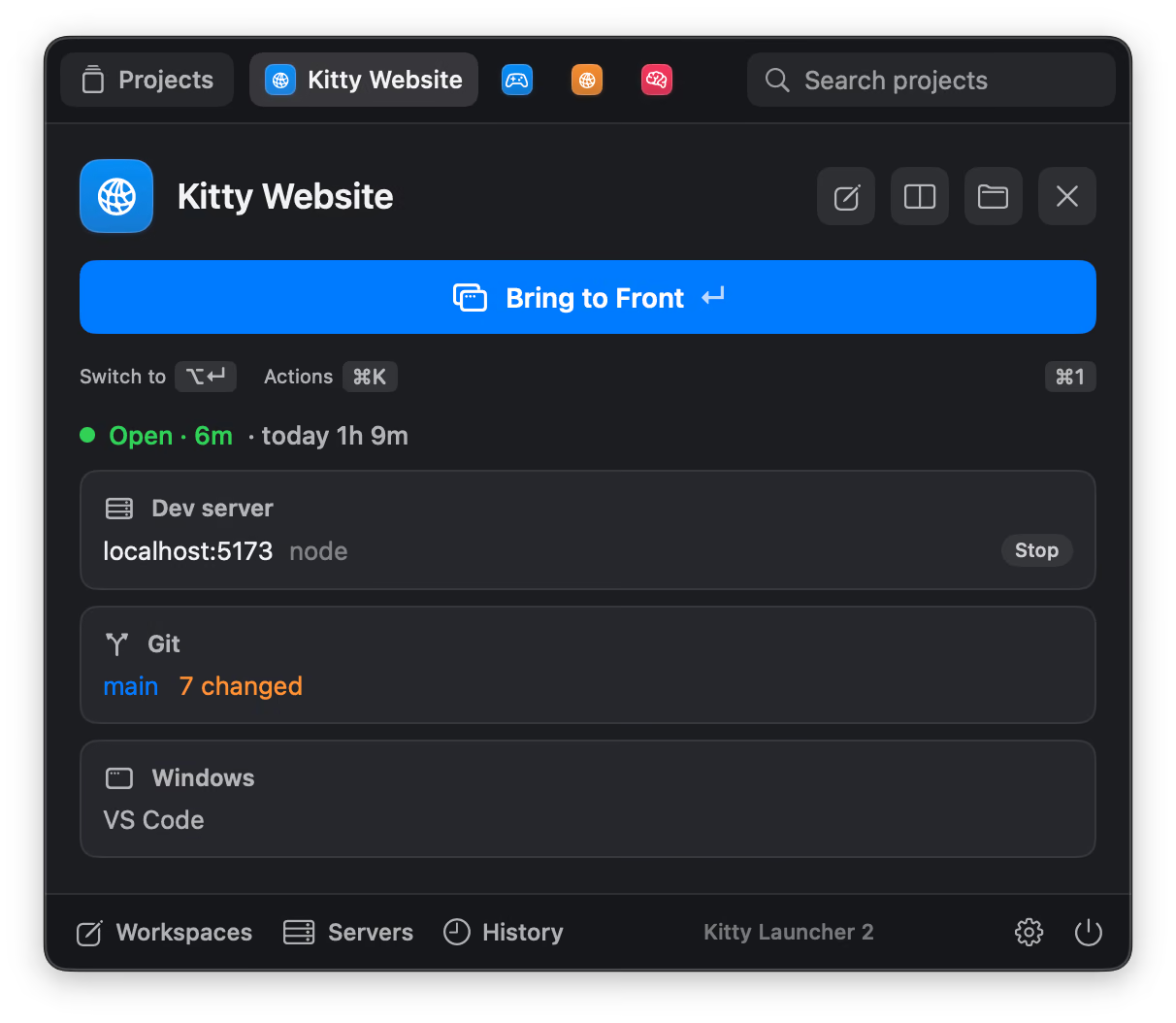
Nothing open? It’s a search bar. Something open? It’s your project: how long you’ve been at it, its servers, its git status, and one key to bring it all to the front.
What’s running, and where the time went
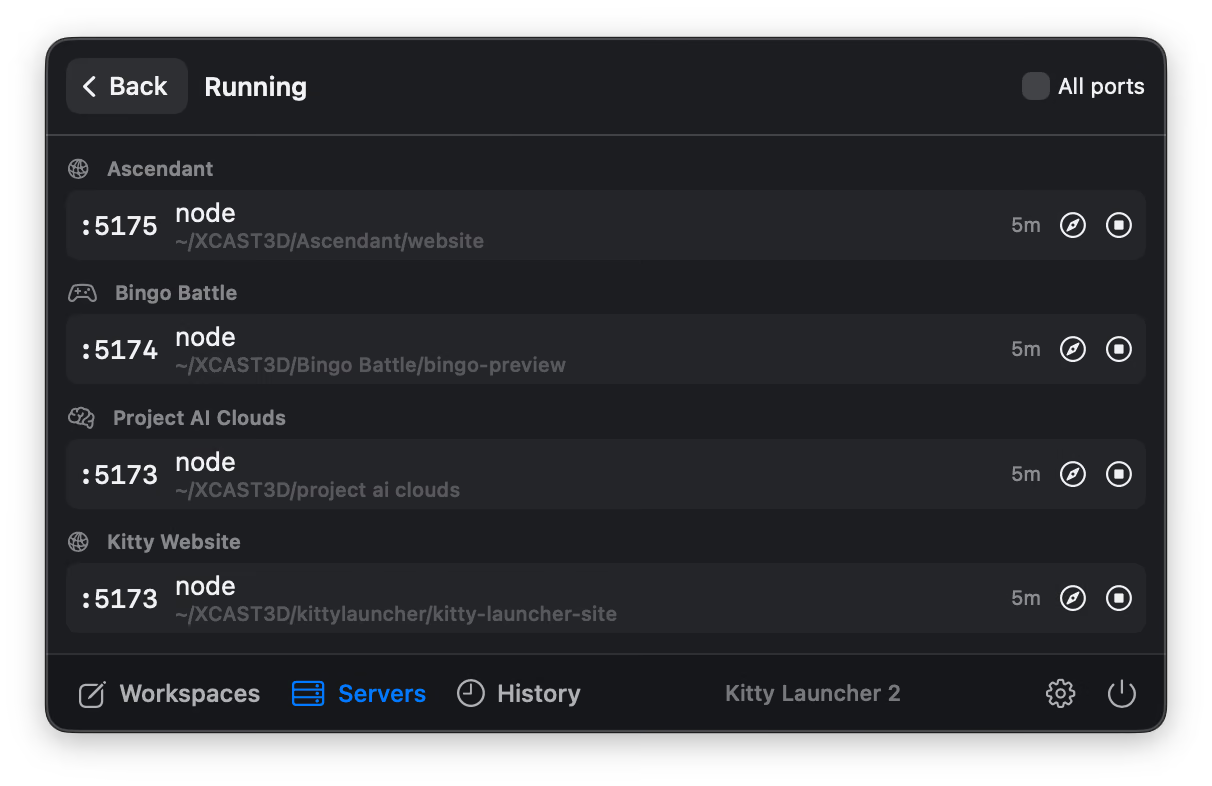
See what’s running on which port and for how long. Open it in the browser or stop it in one click, and no more zombie :3000. Kitty Launcher spots a port clash before it starts another copy.
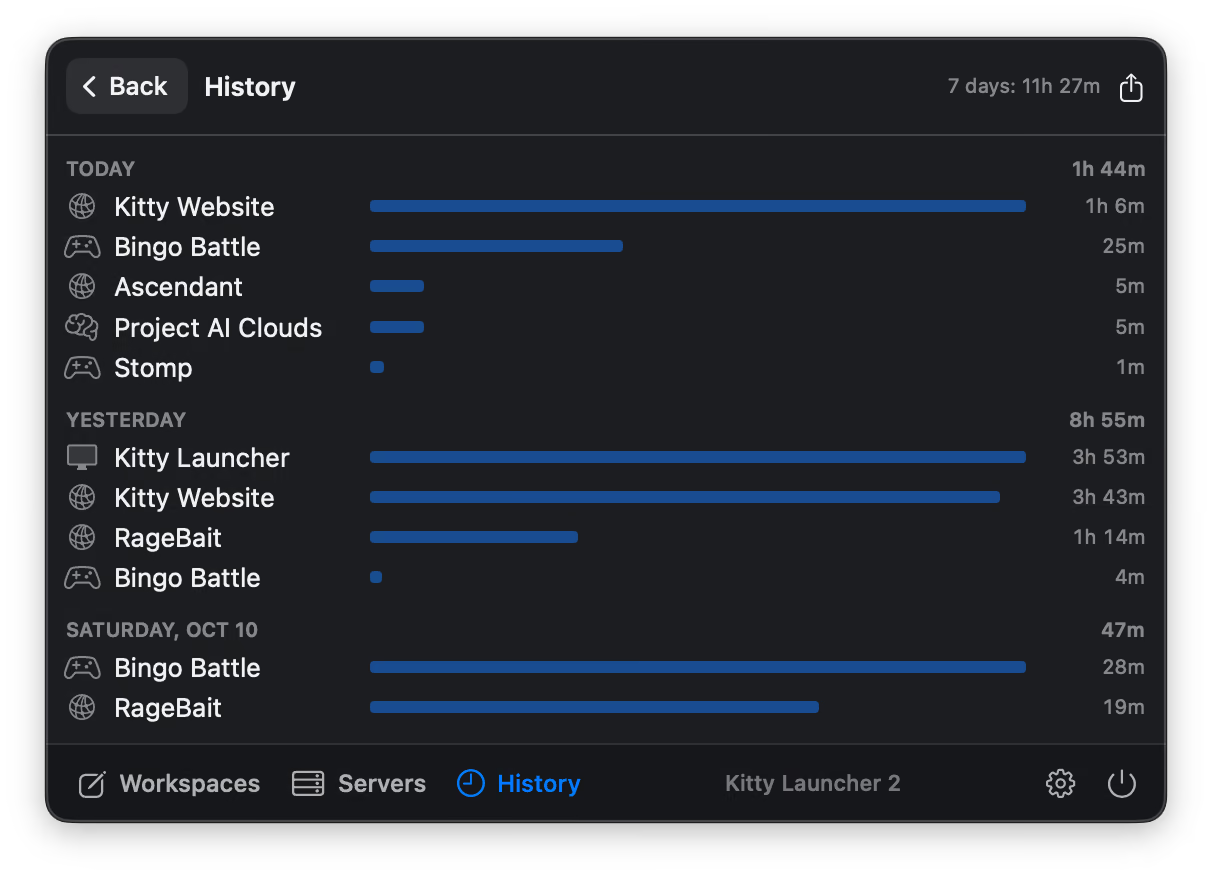
Hours per project, per day, paused while your Mac sleeps or is locked. Export to CSV for invoicing, or run kitty log from the terminal.
Built for your kind of creative
You don’t have to write code to love a good shortcut. Set up your tools, files, and environment once. Then launch it all together.
Pulls the repo, starts the server, opens the browser when the port is up. Close stops the server.
Ready to buildOpens your newest _v012.blend, keeps the Mac awake through the render.
Latest project file, your assets folder, and no sleep mid-export.
Ready to rollYour interface at 48 kHz, Ableton on your latest set, distractions quit.
Ready to play
Any app, any command. Plus URLs, the kitty command, Raycast and Stream Deck.
Hand it to your agent
Workspaces are a plain file with a command-line tool, so Claude Code, Codex or any AI agent can set them up for you. Kitty Launcher picks up the change straight away.
“When I open Album, switch to my Scarlett at 48 kHz and open the latest Ableton set.”
“Give every web project its own dev server port, and open the browser once it’s up.”
“For Lighthouse, open the newest Blender file and keep my Mac awake while it renders.”
“When I start the documentary, open the latest Premiere project and the footage folder, and quit Slack.”
“Open Stomp in its own Unity version, but only pull the repo if I have no local changes.”
“Make a workspace for every folder in Clients, with the brief, Figma and their staging site.”
Start your agent with kitty agent-guide. How it works
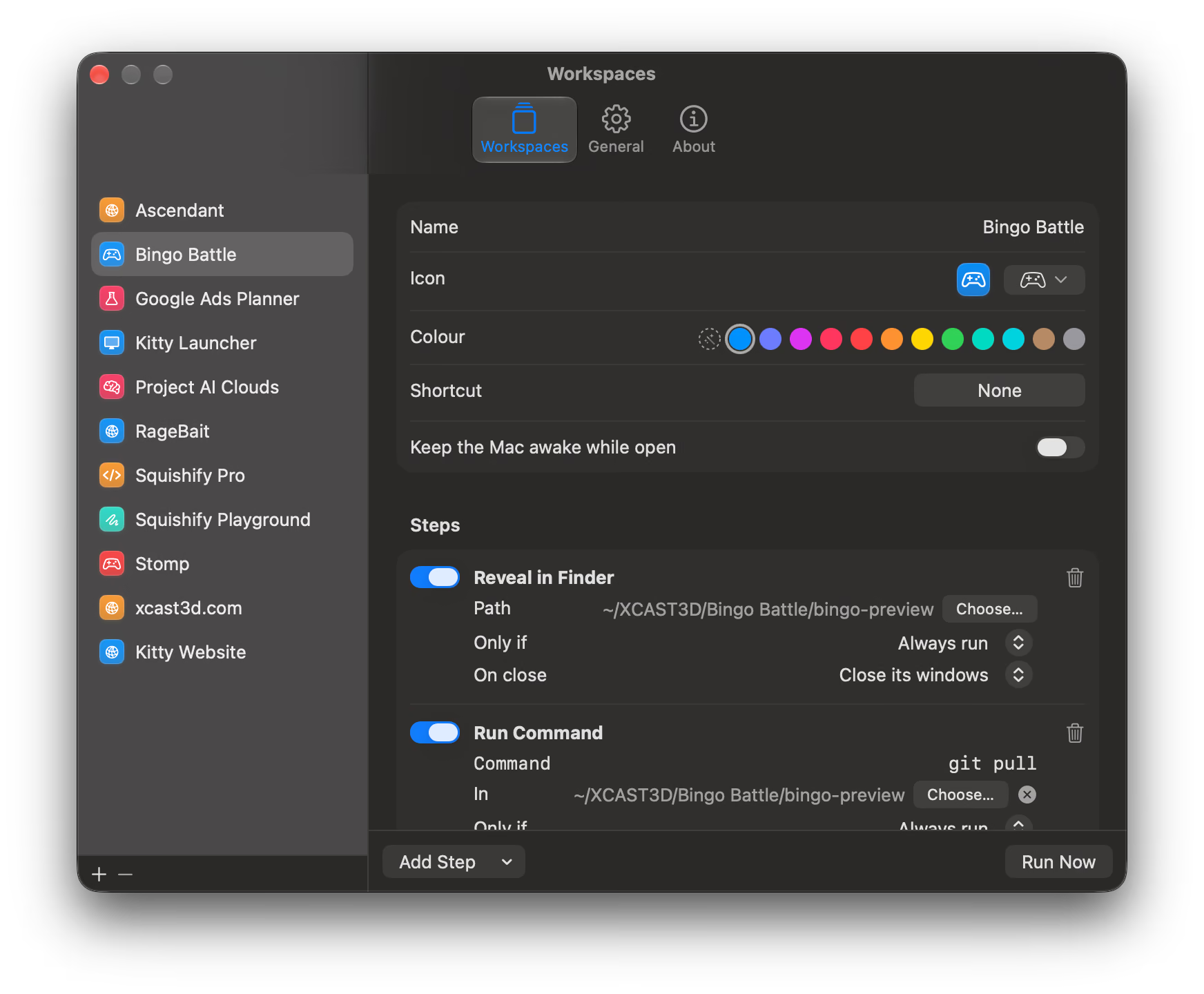
Your workspace, your rules
Start from a folder or make something entirely your own. Kitty Launcher takes care of the little things so you can get to the good stuff.
docker compose downA little help from Kitty
Here are a few things you might be wondering. For how everything works, see the guide.
A workspace brings together the apps, files, folders, servers and commands you need for a project. Open it with one shortcut instead of setting everything up by hand, and close it the same way.
Only windows showing that project’s folders close, plus apps it opened on their own. Its dev servers stop and its close command runs. Other projects in the same app stay open. More in the guide
To see which windows belong to which project. That powers the open status, Close and window layouts. Without it, Kitty Launcher still launches everything; it just can’t see or close windows. Notifications are optional, and Microphone and Speech Recognition are only for hold-to-talk.
Speech recognition happens on your Mac. Your workspaces and time log are local files. There’s no account, no analytics and no tracking in the app. Its only network call is a one-time activation if you enter a Supporter License. (Your own steps, like git pull or opening a URL, do their own thing.)
macOS 14 Sonoma or later, on Apple Silicon or Intel.
Any app: VS Code, Cursor, Xcode, JetBrains, Unity, Blender, Ableton, iTerm, Warp… If it can open a folder or file, Kitty Launcher can open it for you.
Yes. Ask Claude Code, Codex or any agent that can use the terminal to run kitty agent-guide first, then describe what you want, like “make a workspace for this folder that opens VS Code and starts the dev server”. Kitty Launcher picks up the change straight away. More in the guide
Yes, automatically. Your Kitty Launcher 1 projects are brought over the first time you open version 2.
Running commands in your folders, closing other apps’ windows and stopping servers aren’t allowed in the App Store sandbox. Kitty Launcher is signed and notarized by Apple instead.
Kitty Launcher is free, with every feature included. If it helps you, you can make a one-time contribution and get a personalized Supporter License, plus a Supporter badge in the app as a thank-you.
The guide covers how everything works. For anything else, email [email protected]. It’s a one-person project, so replies can take a little while.

Free forever. You never have to pay.
No locked features, no trial, no nagging.
If Kitty Launcher makes your day easier, buy a Supporter License for whatever you think is fair. It helps keep the next adventure going, and you get a Supporter badge in the app.